DrawSVG
DrawSVG is a GSAP plugin that animates the visible length of an SVG stroke, so a path appears to draw itself on from one end to the other. It tweens `stroke-dasharray` and `stroke-dashoffset` for you, which means it only ever affects strokes, never fills.
Updated June 30, 2026
How DrawSVG works
DrawSVG controls the drawSVG property, which describes the VISIBLE SEGMENT of a stroke as "start end". "0% 100%" is the full stroke, "0% 0%" is nothing, and "20% 80%" shows only the middle with gaps at both ends. A tween animates from the element's current segment to the target segment, so drawing a path on is just going from 0 to "100%".
The element needs a real stroke for any of this to show. Set stroke and stroke-width, and set fill="none" so a filled shape doesn't hide the line. DrawSVG works on path, line, polyline, polygon, rect, and ellipse. Single-segment paths are the most reliable; a path made of many disconnected sub-segments can render oddly in some browsers.
It's free now
import { DrawSVGPlugin } from "gsap/DrawSVGPlugin" works on a plain install, no token, no paid tier.Use it for
SVG is the export format for roughly 67 to 75 percent of animation-tool output (SVGator, 2024-25), so stroke-draw reveals stay relevant across line art, icons, and logos. Reach for DrawSVG when the shape is already a stroke and the effect is the line appearing.
- Logo and wordmark reveals where the outline traces itself on at load
- Line-art and illustration reveals (a hand-drawn underline, a signature, a sketch)
- Route and map paths that draw as the reader scrolls through a story
- Connector lines in diagrams and timelines that animate step by step
- Decorative SVG flourishes that draw on instead of fading in
Use something else when
- The shape is a FILL, not a stroke - DrawSVG can't touch fills, use
clipPathor aMorphSVGshape transition instead - You need to morph one outline into a different outline - that's
MorphSVG, not DrawSVG - You want an element to travel along the path rather than reveal it - that's
MotionPath - You only need a single stroke ring to fill (a progress arc) - a hand-rolled
stroke-dashoffsettween is enough and ships zero extra plugin - It's a CSS-only build with no GSAP - native
stroke-dasharray/stroke-dashoffsetwith a CSS transition covers basic draw-ons
Used in these Annnimate components
Two Annnimate components cover both ends of this: the plugin path and the hand-rolled path.
- SVG Draw Path is built directly on DrawSVG. It animates any stroked
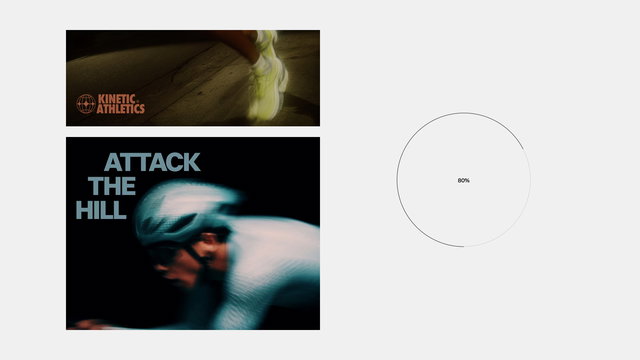
pathfrom 0 to 100 percent, with anonEntermode (timed draw on viewport entry) and ascrubmode (the stroke length is bound to scroll position), plus an optional faint ghost path showing the full route behind the live stroke - Progress draws a circular ring on by tweening
stroke-dashoffsetagainst the ring's circumference, the same technique DrawSVG automates, done by hand so it needs no plugin
Register once, client-side
if (typeof window !== 'undefined') gsap.registerPlugin(DrawSVGPlugin) and run the tween inside useGSAP. Forgetting to register is the most common 'the path just isn't drawing' cause, second only to the path having a fill instead of a stroke.See it running in production

Common questions
- Why isn't my DrawSVG animation drawing anything?
- Three usual causes, in order. One, the plugin isn't registered - add
gsap.registerPlugin(DrawSVGPlugin)once at module load. Two, the path has a fill and no stroke - DrawSVG only animates strokes, so setstroke,stroke-width, andfill="none". Three, the SVG is a<use>reference or a multi-segment path that the browser renders oddly - flatten it to a single stroked path in your design tool. - What does drawSVG: "20% 80%" actually mean?
- It's the visible SEGMENT of the stroke, not a from-to over time.
"20% 80%"means show the stroke only between the 20 percent and 80 percent marks of its length, leaving a gap at each end."0% 100%"is the whole stroke,"0% 0%"is none of it. A draw-on is just tweening the end value from 0 up to 100 percent. - Can I draw an SVG stroke without the DrawSVG plugin?
- Yes. Set
stroke-dasharrayandstroke-dashoffsetto the path length, then tween the offset to 0. DrawSVG automates exactly this (and handles measuring the length and the percentage math for you), but for a single simple stroke, like a progress ring, the hand-rolled version is fine and ships no extra plugin. Annnimate's Progress component does it that way. - Is DrawSVG free, or do I need a GSAP Club license?
- It's free. Every former Club GreenSock plugin, DrawSVG included, became free for commercial use once Webflow made all of GSAP free, fully live April 30 2025. You install it straight from the
gsappackage, no membership token required. - How do I draw a path in reverse, or erase it?
- To erase from the same end it drew from, tween
drawSVGback to0. To draw or erase from the opposite end, animate the start value instead, for examplegsap.to("#path", { drawSVG: "100% 100%" })collapses it toward the far end. The visual direction also depends on the order of points in the path'sdattribute, so if it draws the wrong way, reverse the path in your editor.
